
- Open up file explore and click drop down for "Map network drive" and click the option Map Network drive
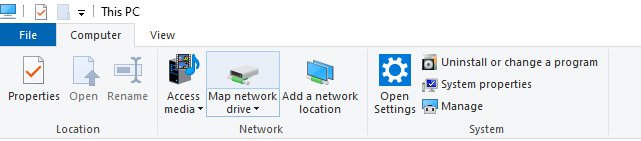
-The screen will show up as below
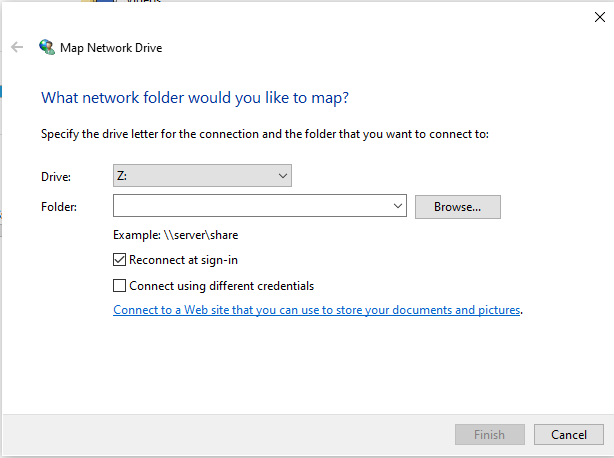
-Next choose the Drive letter and under folder place the drive location
Here are the opitions commonly used
J: \\ucdenver.pvt\SOM\CLINIM\HLAOnly
N: \\data.ucdenver.pvt\dept\SOM\CLINIM\ClinimInd
- Make sure you are added by IT in active directory to these two groups:
- ClinimClinimind-FSC
- ClinimClinimind-MSC
- and other ClinimClinimind-[xxx] versions
O: \\ucdenver.pvt\SOM\CLINIM\HLAConf
P: \\ucdenver.pvt\SOM\CLINIM\CBB
S: \\ucdenver.pvt\SOM\
V: \\PCLINIMDB836\ViewlincRpts
X: \\PCLINIMFS561\HLA
Y: \\PCLINIMFS561\CBB
Z: \\10.19.102.18\Omixon
U: \\10.19.102.17\Omixon